
Appearance
Product sourcing and provenance
Every R-value in Thermly's catalogue can be traced to a source. This page explains where the product data comes from, how to see the source for any product, and what to check before you rely on a value.
Where the R-values come from
Catalogue R-values are construction R-values (m²·K/W) per NZS 4214:2006, sourced, in order of preference, from:
- the manufacturer's published datasheet (a direct R-value);
- NZS 4214:2006 material tables (lambda values for common materials, from which R is derived by thickness ÷ lambda);
- NZS 4214:2006 Table E3 air-space resistances.
Some catalogue entries are specifier items with no thermal R-value (a building wrap, a fixing), and are marked as such.
Thermly does not take product data from competitor calculators or third-party estimating tools. The data is sourced from primary documents so its provenance is defensible. Catalogue notes carry datasheet facts only - the value's scope and caveats ("standard-core variants only", which tabulated line was read) - never marketing copy or Thermly's internal bookkeeping.
Thermly is brand-neutral, and a listing is not an endorsement. The catalogue page says so at its head: product names and technical values are there for identification and calculation, and a product's inclusion does not imply sponsorship, approval or endorsement of Thermly by its manufacturer. Products are listed under their manufacturer's name, and you should confirm the current specification before you finalise one.
Skylights and doors in the catalogue
Complete skylights are catalogue products in their own right - separate from roof assembly layers. Each record carries its exact series, size, glazing configuration, operation, mounting type, dimensions and the manufacturer's published whole-unit R-value (frame included), with its verification evidence. The ranges cover VELUX, Adlux and Keylite roof windows and Solatube tubular skylights; rows whose thermal values await NZ installation-pitch verification are selectable but visibly marked, and a roof with a known pitch also flags a product whose declared pitch range excludes it - warn, never block. Reviewed rows are locked against being overwritten by routine catalogue crawls. Browse them with the Skylight type filter on the Products page, and pick them on the H1 form's roof skylight rows - see Skylights.
Doors are catalogued the same way. A branded door carries its manufacturer's published whole-door construction R, at a stated leaf size and with the calculation method recorded, and is picked with Catalogue door… on a door row. Garage doors are catalogued too, but honestly: their makers publish a figure for the insulated panel alone, so those rows carry a panel R, labelled as such, and do not supply a construction R for the opening - see Windows and doors.
Seeing a product's source
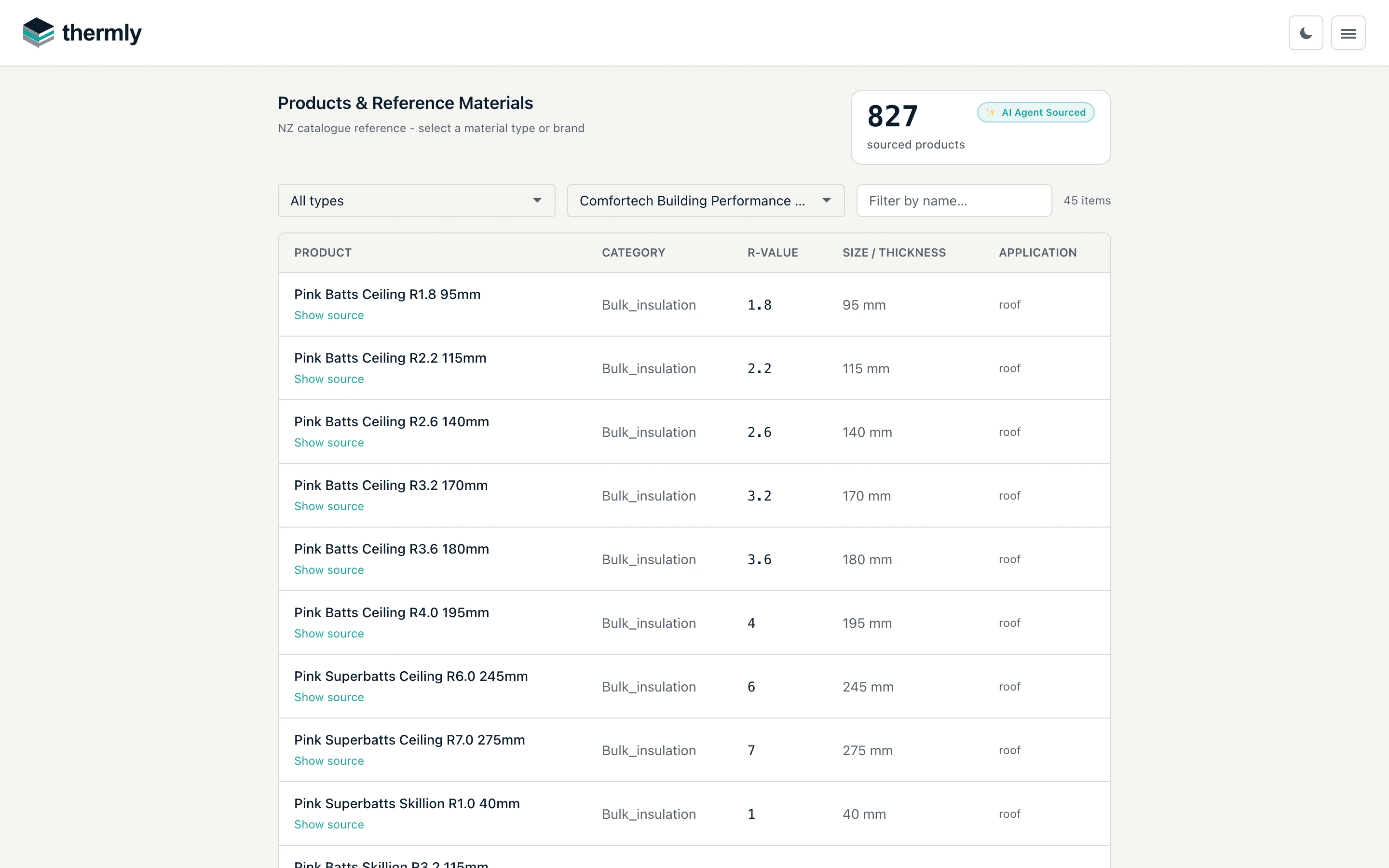
On the Product Catalogue page - filter by material type and narrow the brand with the type-ahead picker - each product row has a Show source link. Expand it to see:
- the source document title (for example, a named datasheet);
- the type of source (manufacturer datasheet, standard, or reference table);
- the date it was retrieved;
- any notes, and an Open source link to the document where one is available.
The same sourced catalogue backs the product picker in the Assembly Builder, so you always know what a layer's R-value rests on.
What the report prints
The H1 report's References & sources section is built from the same records, held to a stricter standard still: every reported value must trace to a standards table or a manufacturer document (a build gate enforces it). Entries under Supporting documents print the document title as a live link plus its full URL and the retrieval date - the report is read on paper and in council record systems, where a link target is invisible, and datasheets are revised over time. Each also carries the class of document it is - manufacturer datasheet, manufacturer webpage, manufacturer technical manual, supplier technical statement, BRANZ appraisal, product certificate, published table, MBIE publication - because how much weight a cited value carries depends on who wrote the document, and a manufacturer's own construction manual is not an independent appraisal. Each document names its real publisher (Standards New Zealand for NZS 4214, MBIE for H1/AS1, BRANZ for the House Insulation Guide), and generic reference materials are listed with the methodology standards rather than as supporting documents.
AI-assisted extraction, and why you still check
Many datasheet R-values are read into the catalogue with the help of AI extraction, which is fast and wide-reaching but not infallible. Thermly is explicit about this: the catalogue's product count is badged AI Agent Sourced, and the notice at the head of the catalogue asks you to verify current product specifications before final specification. Rows that have been reviewed by hand are locked, so a routine re-crawl cannot overwrite a corrected value.
This is the professional-tool relationship applied to data. Thermly sources and presents the value with its provenance; you confirm it against the current datasheet for the product you are actually specifying. Datasheets are revised, and a superseded R-value is a real risk on any tool.
Building Product Specifications
H1/AS1 6th edition introduces the MBIE Building Product Specifications framework, under which a product covered by a specification can be used to demonstrate compliance directly. As that framework beds in, it becomes the strongest form of provenance for a product's performance.
If a product is missing or wrong
- Missing product or R-value: use Custom R-value on the layer and enter the figure from the datasheet with its basis.
- A value that looks wrong: check Show source, compare against the current datasheet, and use a custom R if the catalogue is out of date. Report it via the Feedback form in the header - a screenshot of the datasheet attached to the report is the fastest way to get a value corrected.